Invite Your Host or Cleaner
CleanSlate works on its own. It does its best work when both sides are in it.
Why Both Sides Matter
Your calendar is shared, so you both see the same cleanings. Invoices build themselves from that calendar. Your host approves and pays in a couple of taps.
No chasing, no screenshots of a handwritten total, and no "thanks, paid!" lost halfway up a group chat.
First, Which Kind of Account Do You Have?
This decides where the invite lives, and it is the part most people get stuck on. If you set CleanSlate up yourself, it is your account. If somebody sent you an invite and you joined theirs, you are working inside their account.
- Your own account? You invite from the + button. Step 3.
- Joined someone else's? You invite from the property itself. Step 4.
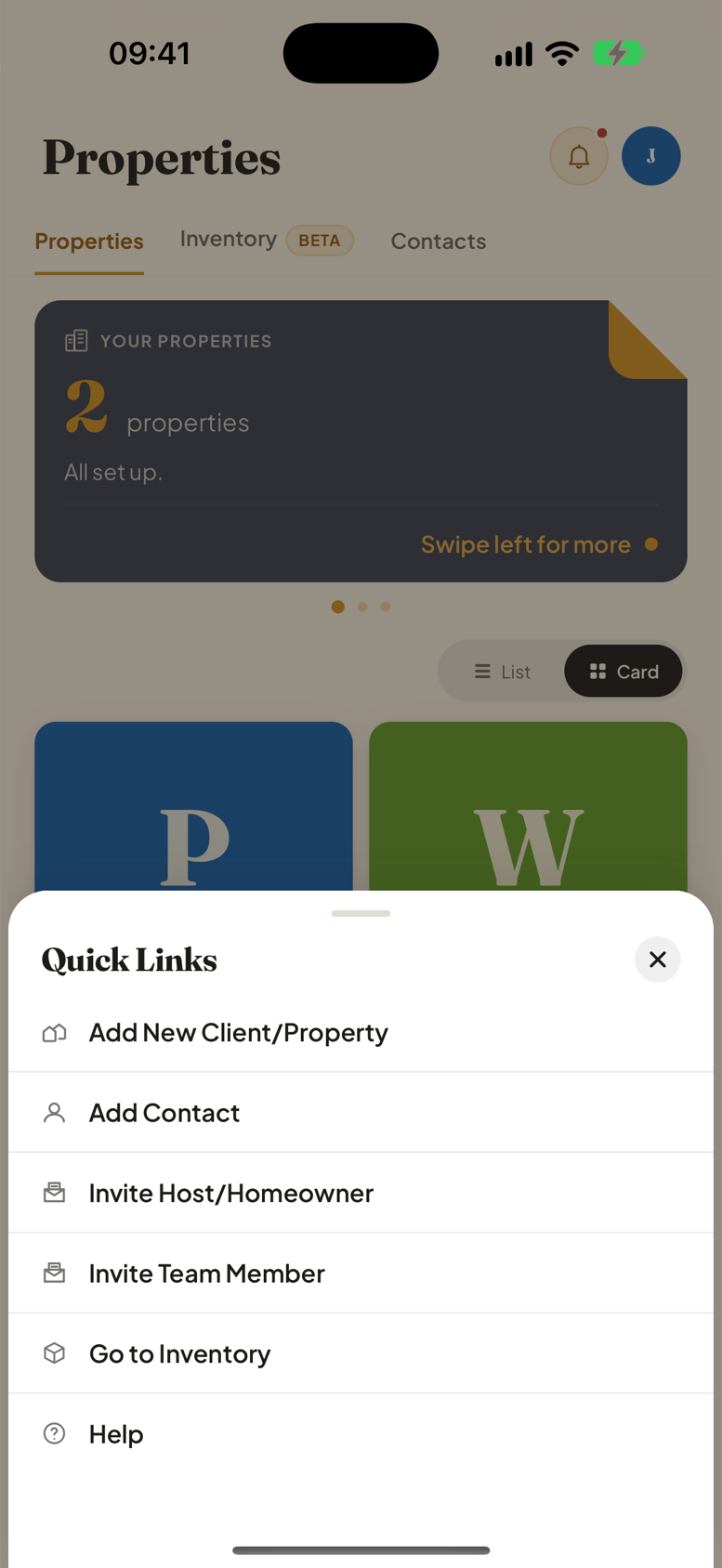
Not sure? Open Properties and tap +. If Invite Host/Homeowner is in the list, it is your own account.
Your Own Account: Invite From the + Button
This invites a host to your whole account, so they can see the houses you clean for them and act on the invoices you send.
- Open the Properties tab.
- Tap the + button.
- Choose Invite Host/Homeowner.
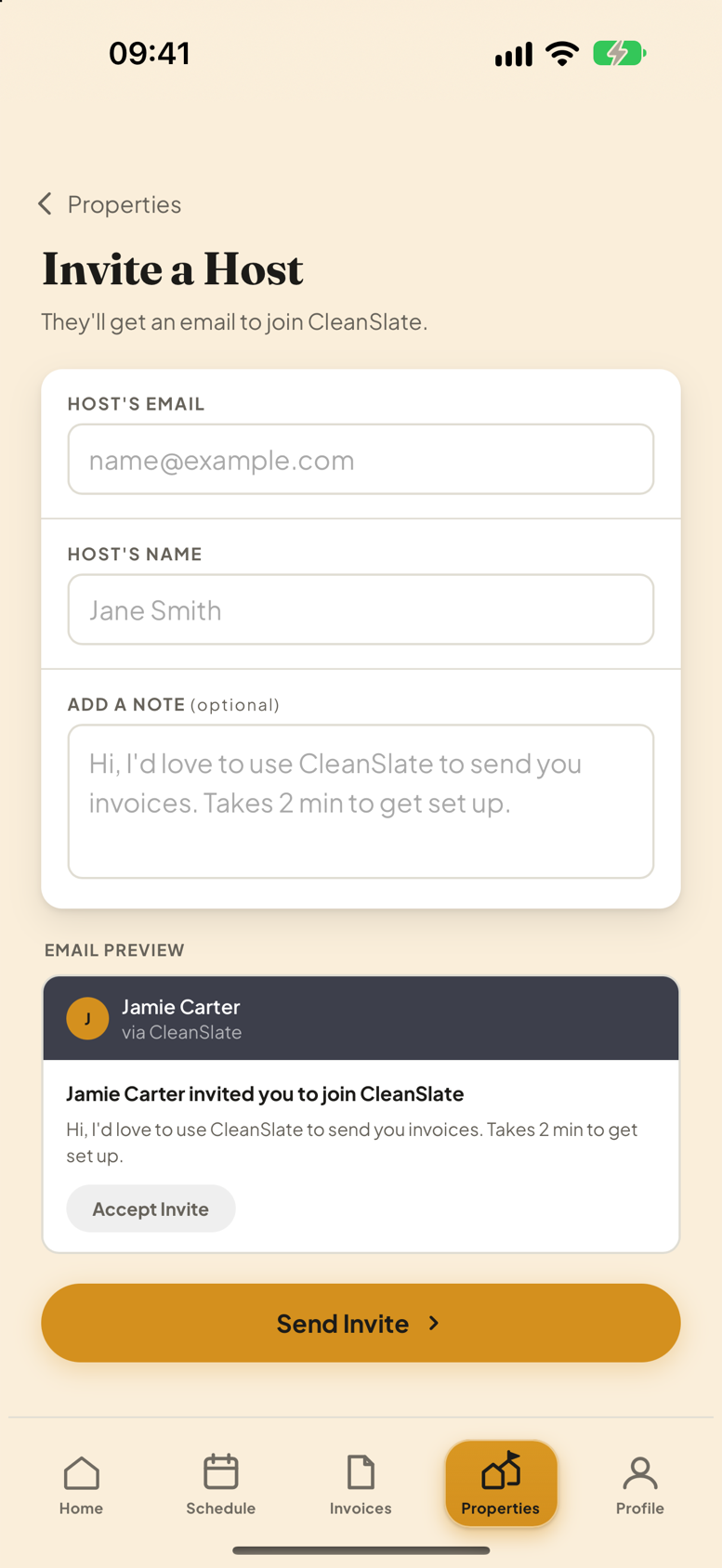
- Fill in Host's Email and Host's Name.
- The note is optional and already written for you.
- Tap Send Invite.
The form shows you a preview of the email before you send it, so you can see exactly what lands in their inbox.
Joined Someone Else's Account: Invite From the Property
Here the invite belongs to one house rather than the whole account. Open the property and look for the Homeowner card.
- Open Properties and tap the house.
- Scroll to Homeowner.
- Tap Add Homeowner and enter their details.
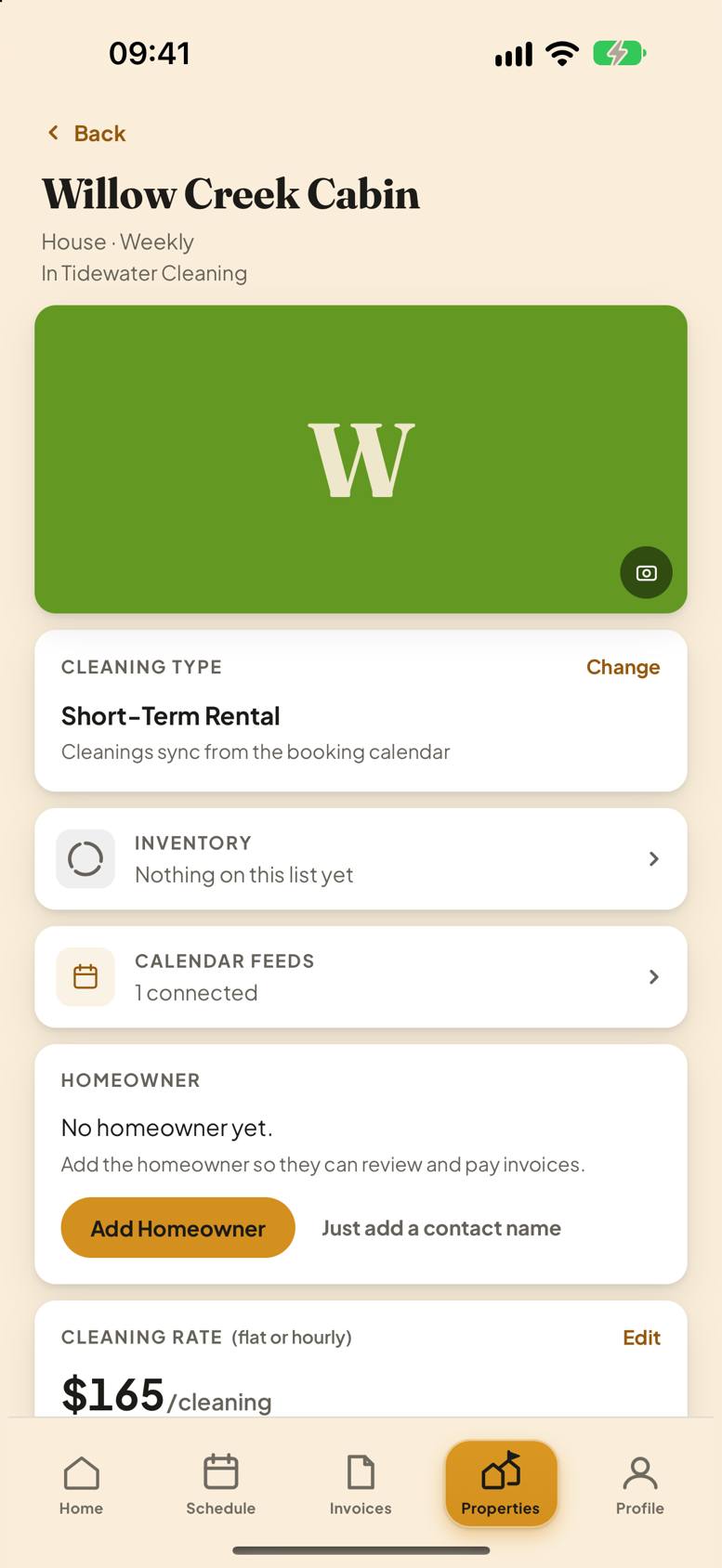
Beside it is Just add a contact name. Use that when the homeowner will never use the app but you still want them named on the invoice.
Hosts: Inviting Your Cleaner
It works the same way from the other side, with one extra move: you also tick which houses that cleaner works on.
What Happens Next
They get an email with a link. They open it, accept, and they are in. Nothing you have already set up changes.
If the invite never turns up, check the spelling of the address first, then send it again from the same screen.
Each side only ever sees their own properties. A host you invite cannot see your other clients, and a cleaner you invite cannot see houses they are not assigned to.