How Invoices Work
Each cleaning becomes an invoice, automatically. You never type in a cleaning. Hourly jobs just need the hours.
Your Cleanings Show Up on Your Schedule
Every cleaning on your schedule becomes a line item. On an Airbnb or VRBO home they come from the guest calendar; on a regular home, from the dates you and the homeowner agree.
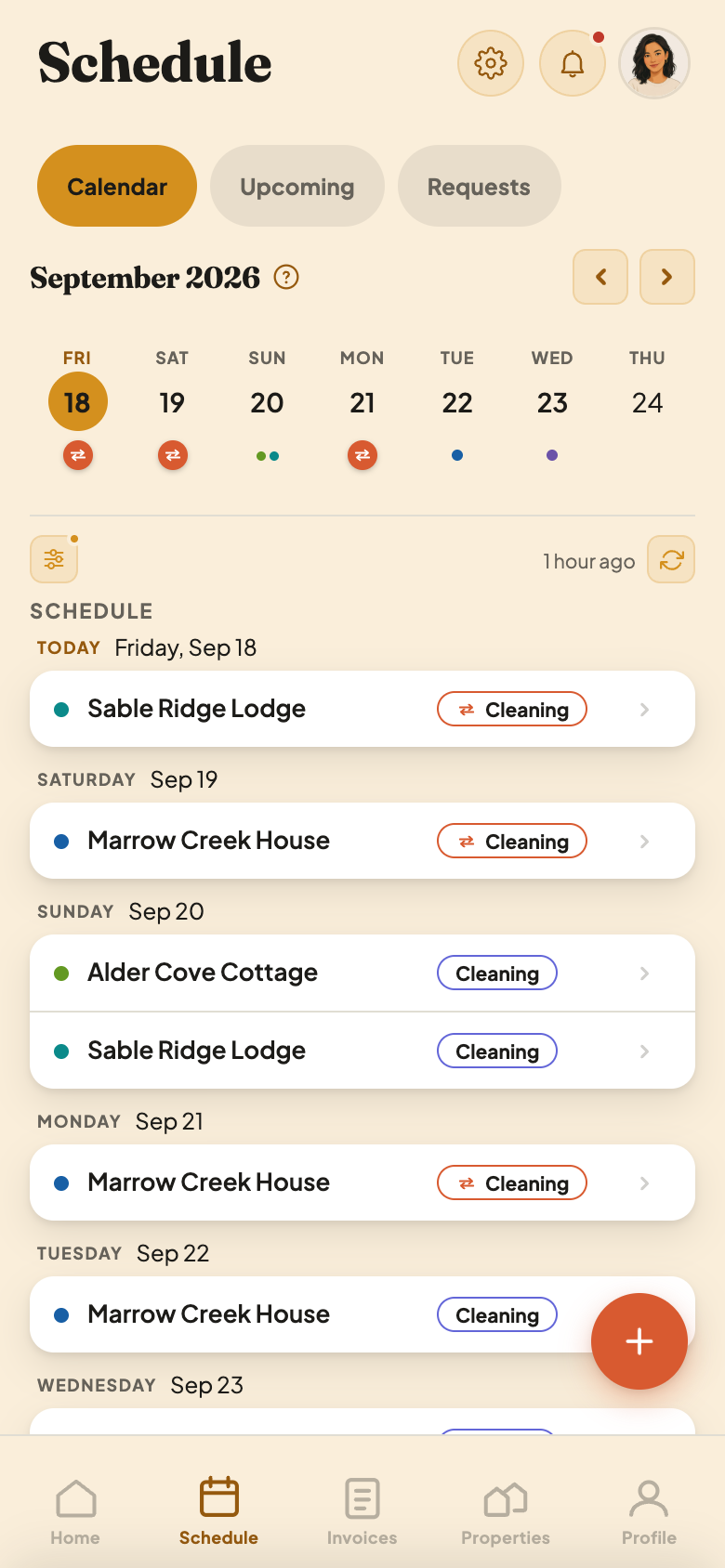
Two Kinds of Cleaning
- 1A turnover. The orange edge and the arrows mean a guest leaves and a new guest arrives that same day. Finish before check-in.
- 2No one arriving. A guest leaves and no one is scheduled to check in that day.
On a regular home, each visit shows as Cleaning on the date you and the homeowner set.
CleanSlate Builds Your Invoice From Your Cleanings
Every property's invoice builds itself. On a short-term rental, each guest checkout adds a cleaning. On a regular home, each scheduled cleaning does. Because CleanSlate knows when a cleaning is coming, your invoice is ready ahead of time. Open the Invoices tab to see it: the one you're building is on the Current tab, and at the top of History.
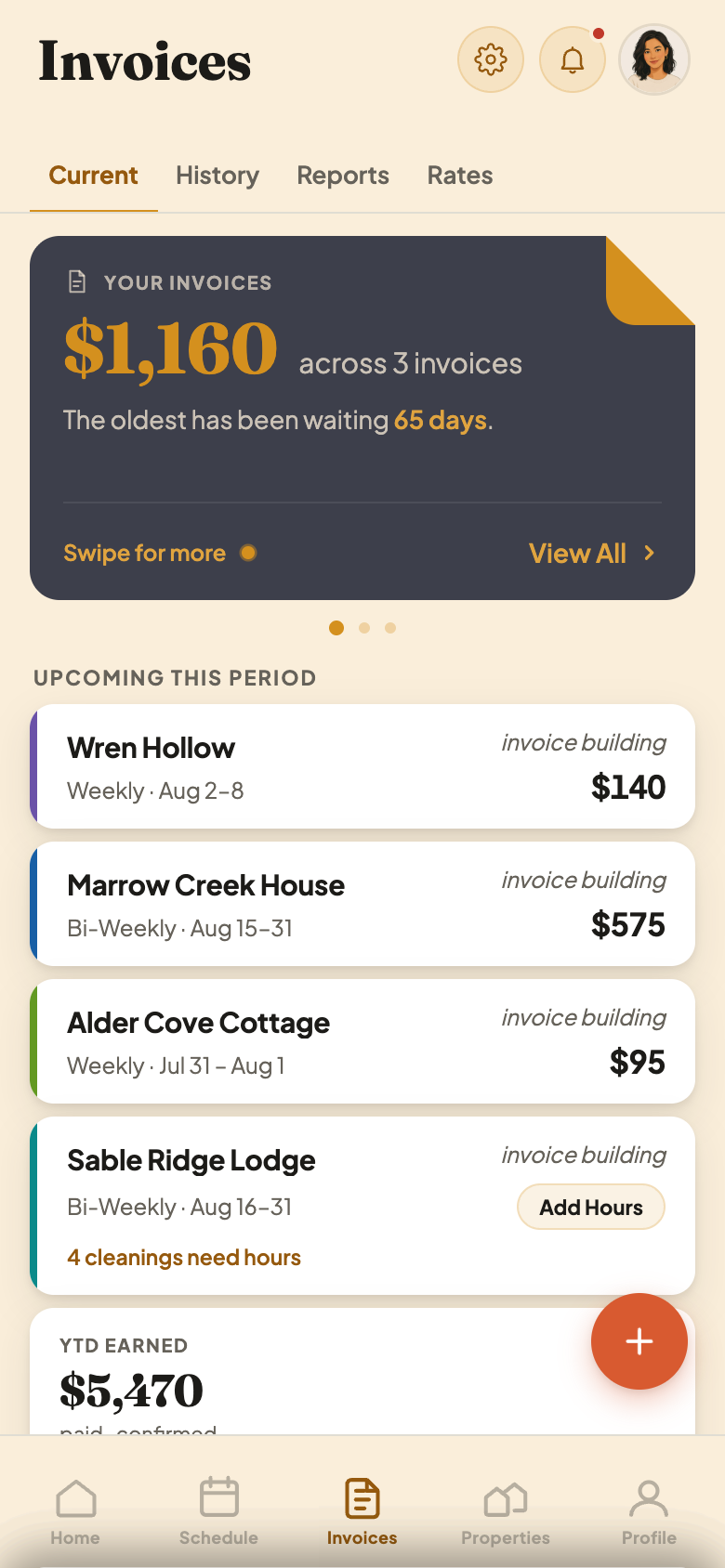
Reading an Invoice Card
- 1Invoice building. This invoice is still collecting cleanings. It hasn't gone to your host yet.
- 2Add Hours. This house pays you by the hour, so each cleaning needs its hours before you can submit.
- 3How many are left. Here, 4 cleanings still need hours.
Review It, Add Extras, Then Submit
Tap a property to see every cleaning on it. Add photos or extras. When you're ready to get paid, tap Submit Invoice.
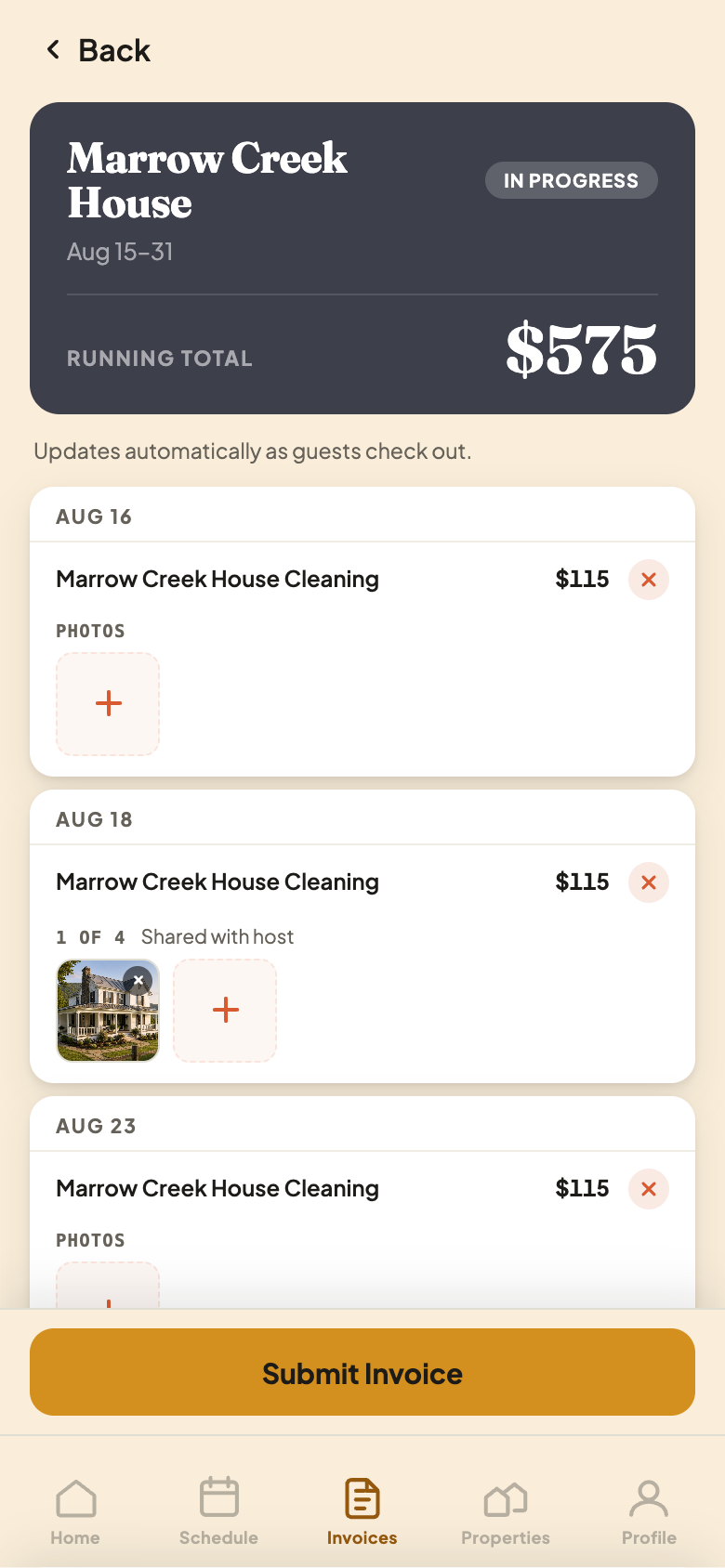
One Cleaning, Up Close
- 1Remove a cleaning. Tap the X if a cleaning didn't happen, like a guest who never showed up.
- 2Add a photo. Show the finished work, or a problem you found.
- 3A photo you added. It's shared with your host on the invoice. Up to 4 per cleaning.
Nothing reaches your host until you tap Submit Invoice. Look at your invoice as often as you like before then.