Create a Custom Invoice
For work outside your scheduled cleanings, on a short-term rental or a regular home. You pick the dates, the property, and the line items yourself.
When to Use This
Most of your invoices build themselves from your scheduled cleanings, guest checkouts on a short-term rental or the dates you and the homeowner agreed on a regular home. Use a custom invoice for anything else: a one-off job, or a property that isn't on a set schedule at all.
Start From Invoices
Open the Invoices tab and tap the coral + button in the corner.
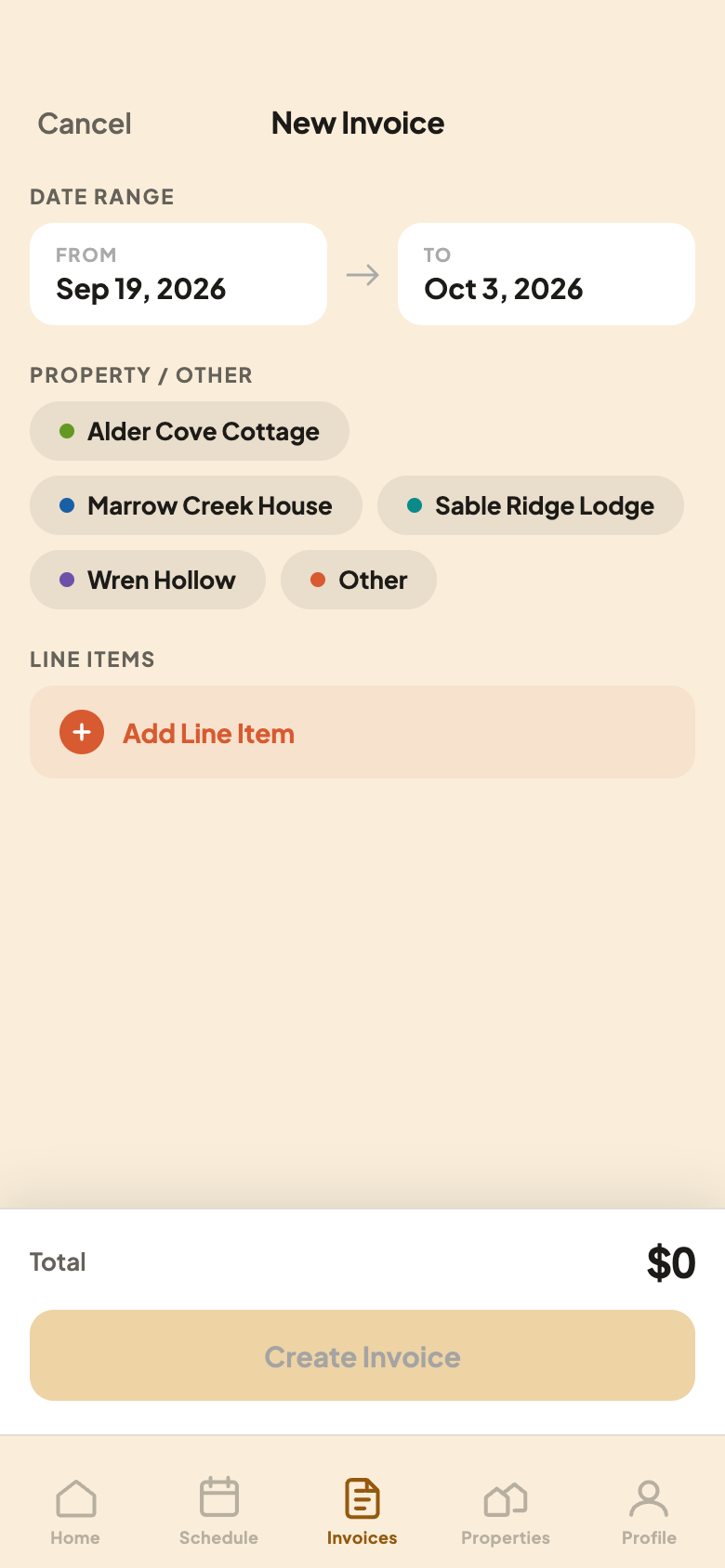
Fill In the Form
- 1Pick a property, or choose Other and give it a name.
- 2Tap Add Line Item to add what you did and what to charge.
The dates at the top are the period this invoice covers. Your host sees them on the invoice.
Add Your Line Items, Then Submit
Type a description and an amount, or pick something from your rate sheet if you set one up. Do this for everything you're billing, then tap Create Invoice.
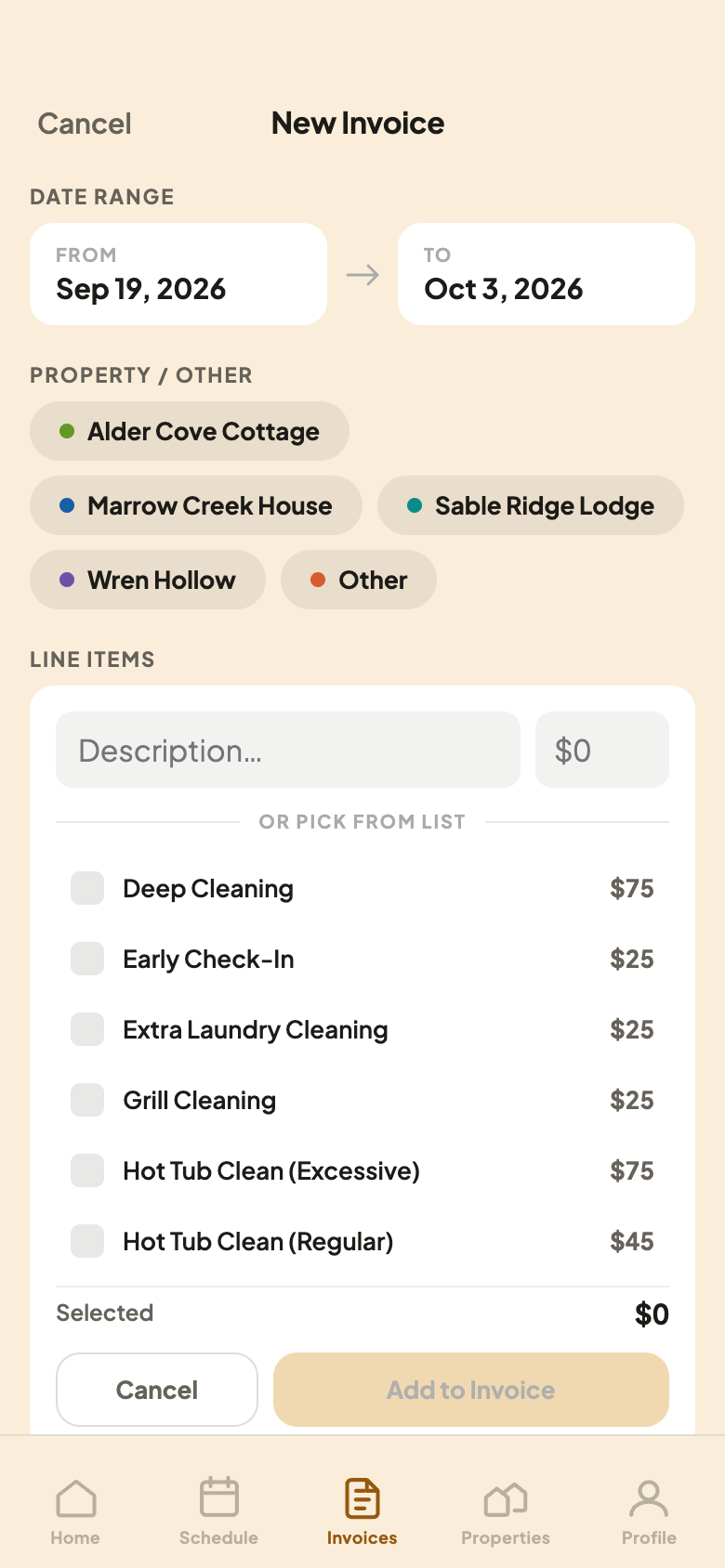
Two Ways to Add an Item
- 1Tap an item on your list to add it at your own price.
- 2This total is just what you’ve checked so far, not the whole invoice.
A custom invoice works the same way once it’s created. Review it, add more if you need to, then Submit Invoice when you’re ready.