Adjust an Early Check-In or Late Checkout
This is for short-term rentals with a guest check-in and checkout, like Airbnb or VRBO. A regular home has no guest calendar, so this doesn't apply there.
Open the Day on Your Schedule
Tap any day on your Schedule that has a checkout or check-in. Your cleaning card opens at the bottom.
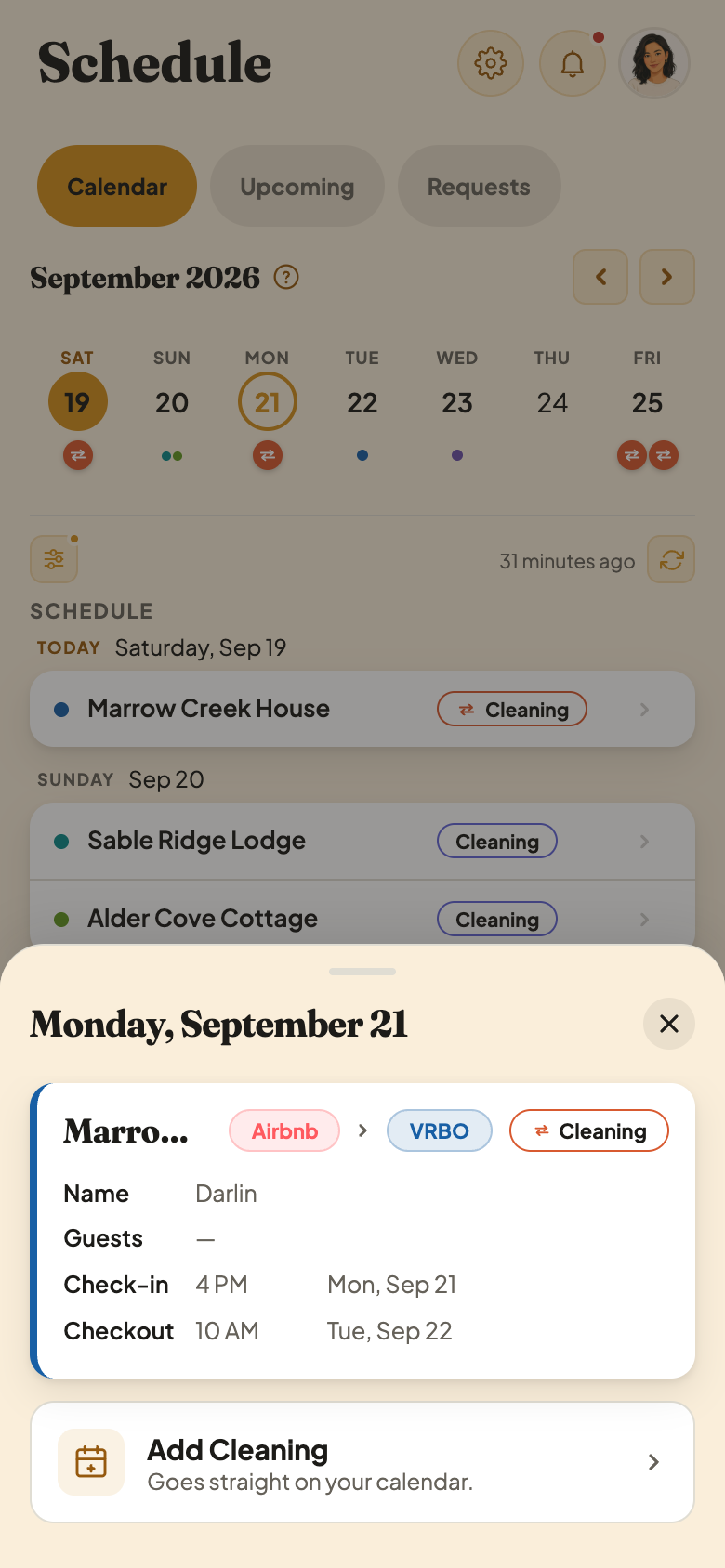
Tap the Check-In or Checkout Time
Tap the card to open it, then tap the Check-in or Checkout time. Pick a new one: earlier for check-in, later for checkout. It saves as soon as you pick it, no extra tap needed.
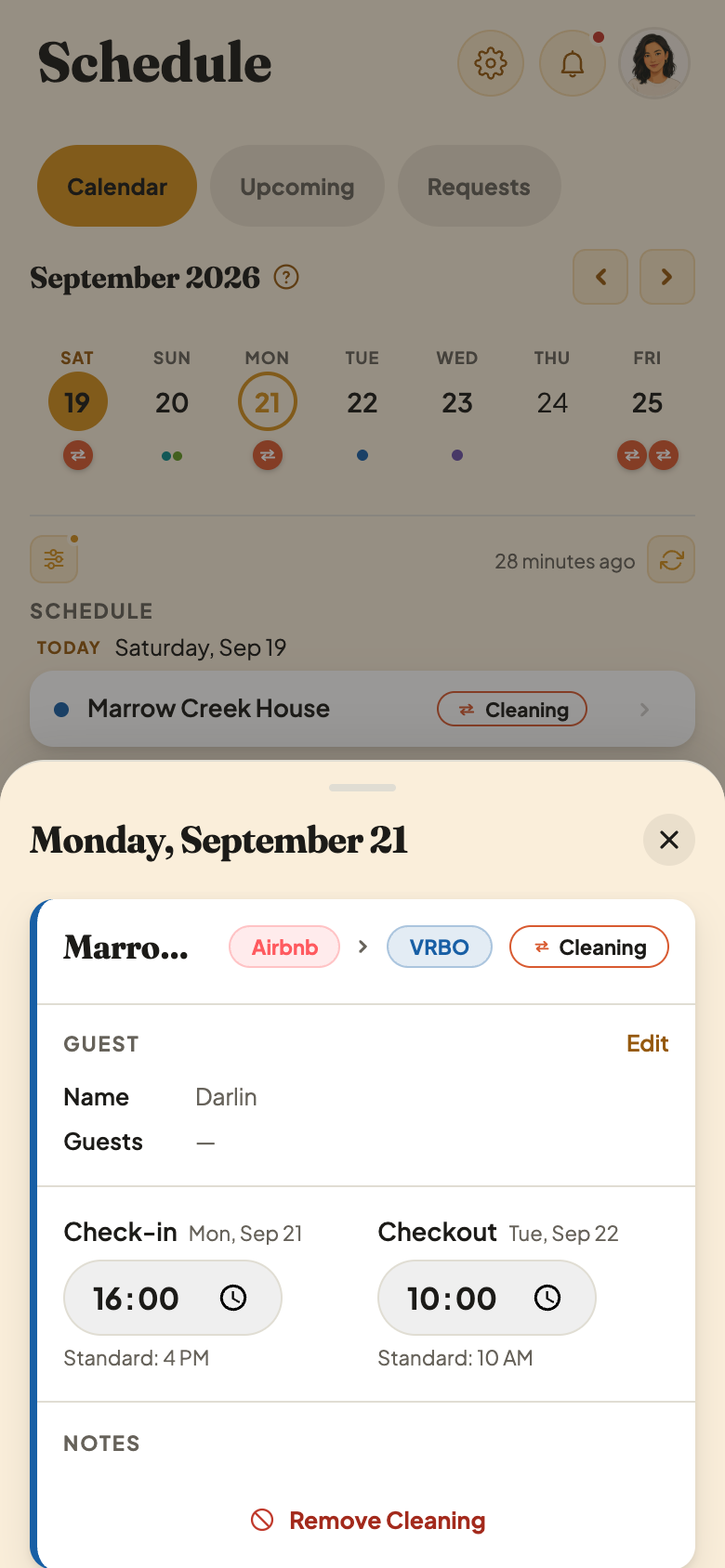
The Time Fields
- 1Tap a time to change it. A picker opens so you can set it earlier or later.
- 2Standard time. Your card shows this so you can see how far off the new time is.
A Host Can Ask You First
Sometimes your host or the homeowner asks for an early check-in or late checkout before you do. It lands on your Requests tab as a Time Change Request, and inside that day's card too. You choose Accept, Suggest New Time, or Decline. Accepting doesn't always add a fee, and the card tells you before you tap anything. If you set the time yourself instead, there's no approval step. It's already agreed.
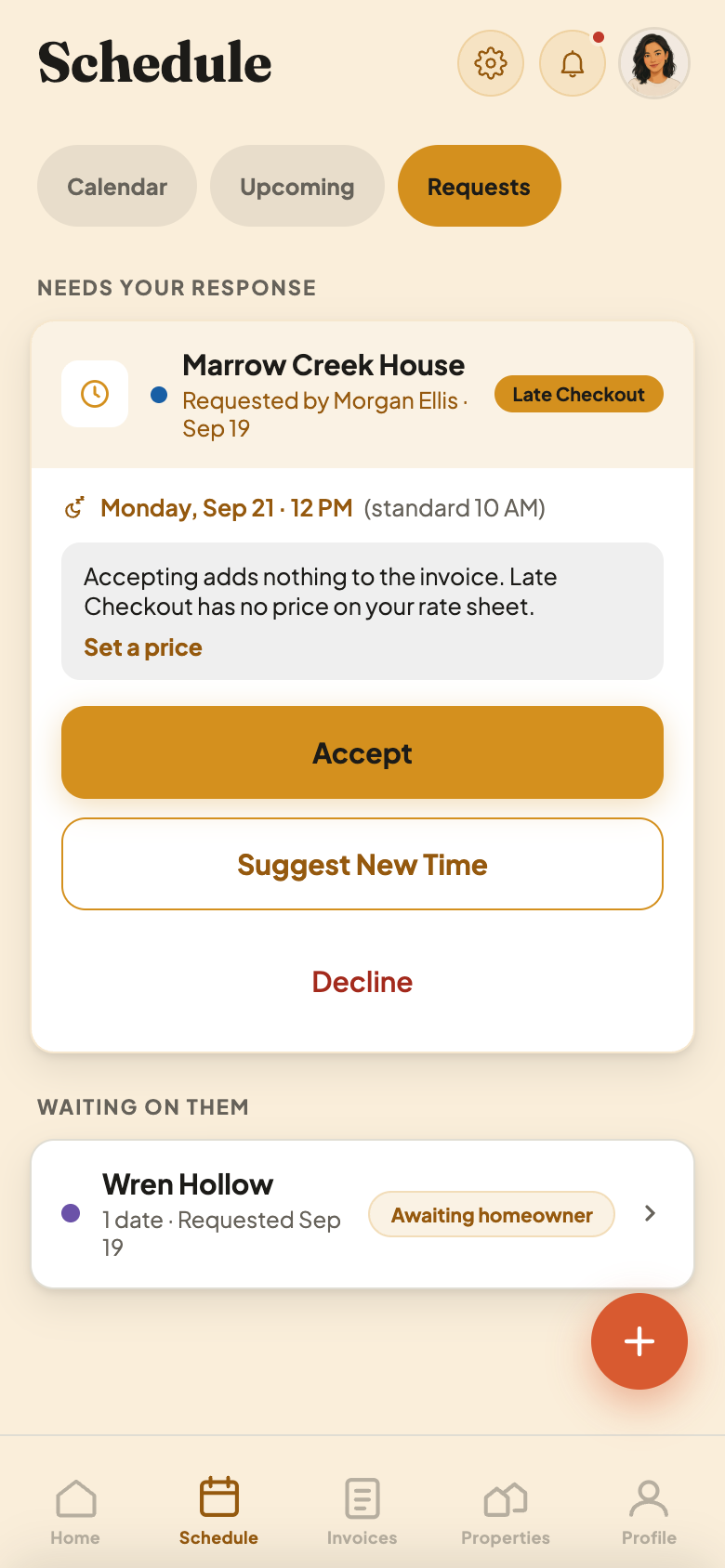
A fee is only added if your Rate Sheet prices Early Check-In or Late Checkout, and only for the direction that costs you time (an earlier check-in or a later checkout). The other direction is a heads-up with no fee.