How Invoices Reach You
Each cleaning becomes a line on an invoice, automatically. You don't see it while your cleaner is still building it. The moment they submit, you're told, and it waits for you on Home and the Invoices tab.
Each Cleaning Becomes a Line
Your cleaner never types a cleaning in by hand. On an Airbnb or VRBO home, a guest checkout adds a line. On a regular home, the date you and your cleaner agreed on adds one. Either way, it lands on an invoice that's still being built, and you can't see it yet.
You Can't See a Draft, and That's the Point
While your cleaner is adding cleanings, extras, or photos, the invoice is still theirs. Nothing about it reaches you until they tap Submit Invoice.
You're Told the Moment They Submit
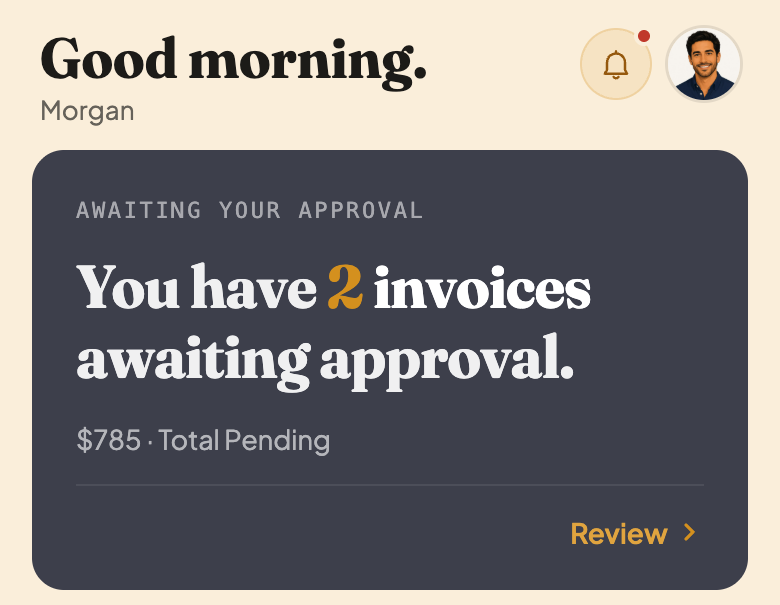
You get a notification, in the app and by email, the moment your cleaner submits (or resubmits, if you'd asked for changes). The invoice also shows up right at the top of Home.
Find It on the Invoices Tab
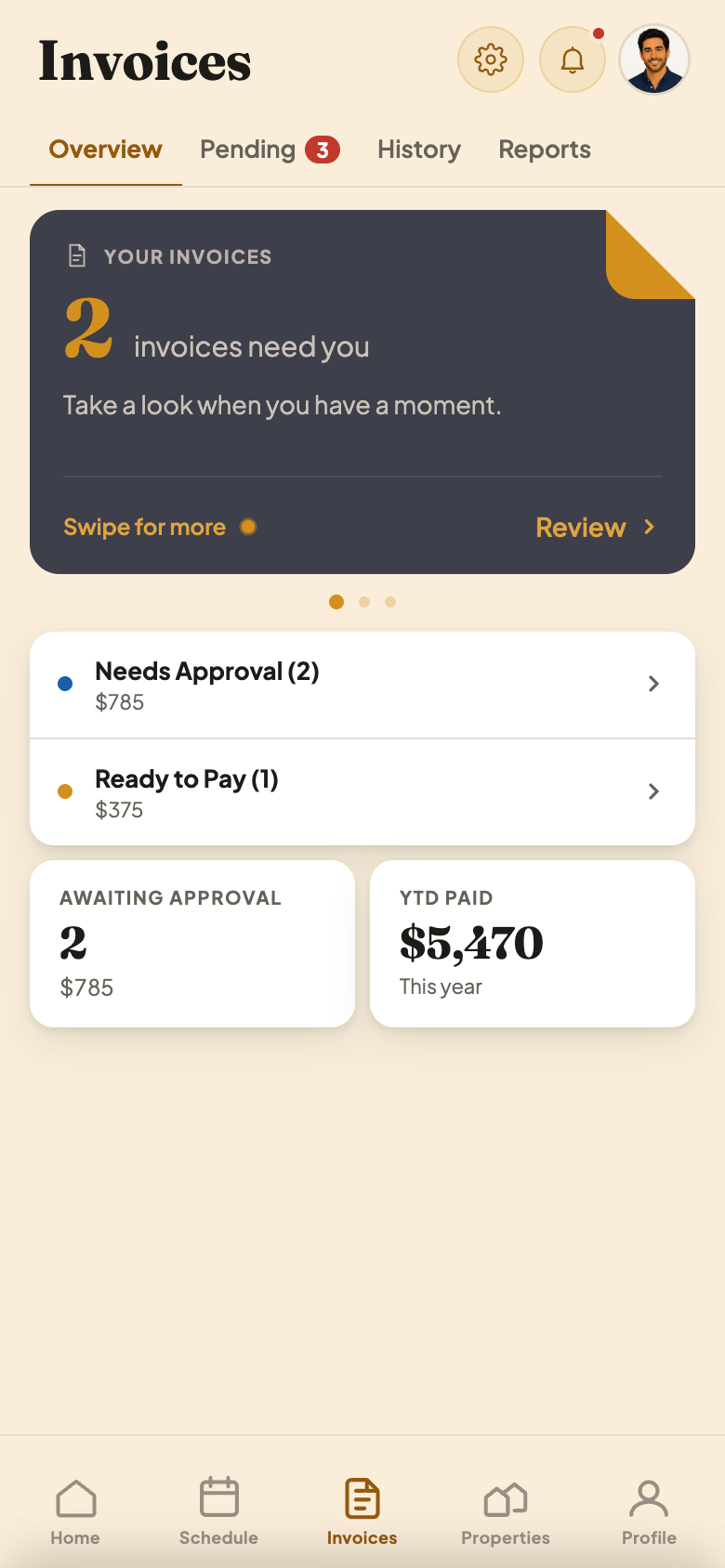
Tap Review on Home, or open the Invoices tab. Overview shows what needs you, and tapping Needs Approval takes you to the full list.
What This Screen Is Telling You
- 1This is your queue. Every invoice a cleaner has submitted, and hasn't been approved or paid yet, is counted here.
- 2Needs Approval. Submitted, and waiting on you to look it over.
- 3Ready to Pay. A different status: you already approved these, you just haven't recorded a payment yet.
Before your cleaner submits, there's nothing to see. Once they do, it's on Home and the Invoices tab until you act on it.