Request Changes or Decline
If something's off on an invoice, send it back to your cleaner with a note. Choose Request Changes for a fix, or Decline if it can't be paid as is.
Open the Invoice
Go to the Invoices tab and tap the invoice waiting for you. These two choices only show up while it says Submitted or Revised.
It's a Whole-Invoice Decision
You can't edit a line yourself. Both choices send the whole invoice back to your cleaner with your note attached. If it needs a fix, your cleaner cancels it and submits a new one.
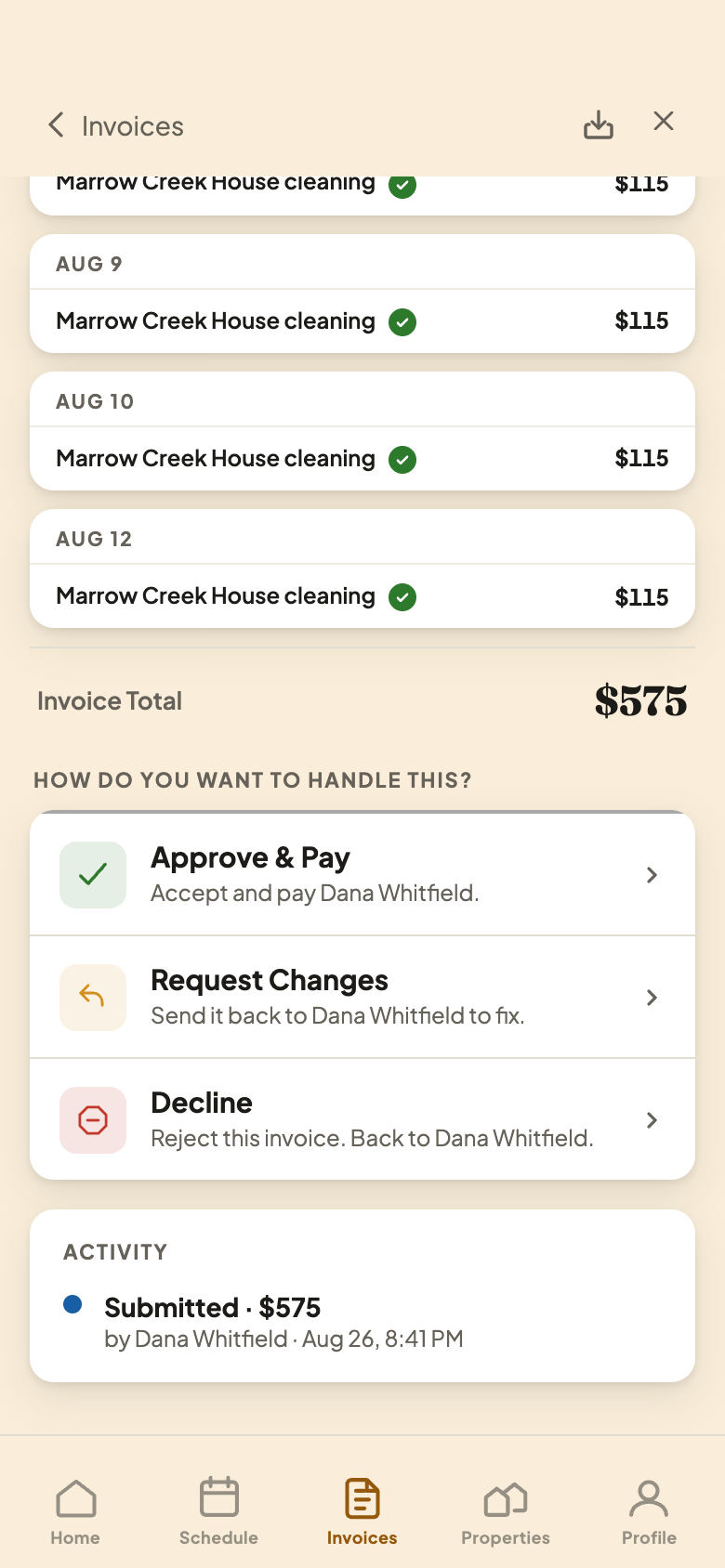
Write Your Note and Send
Either way, a short note is required, so your cleaner knows what's wrong. The button turns on once you've written it.
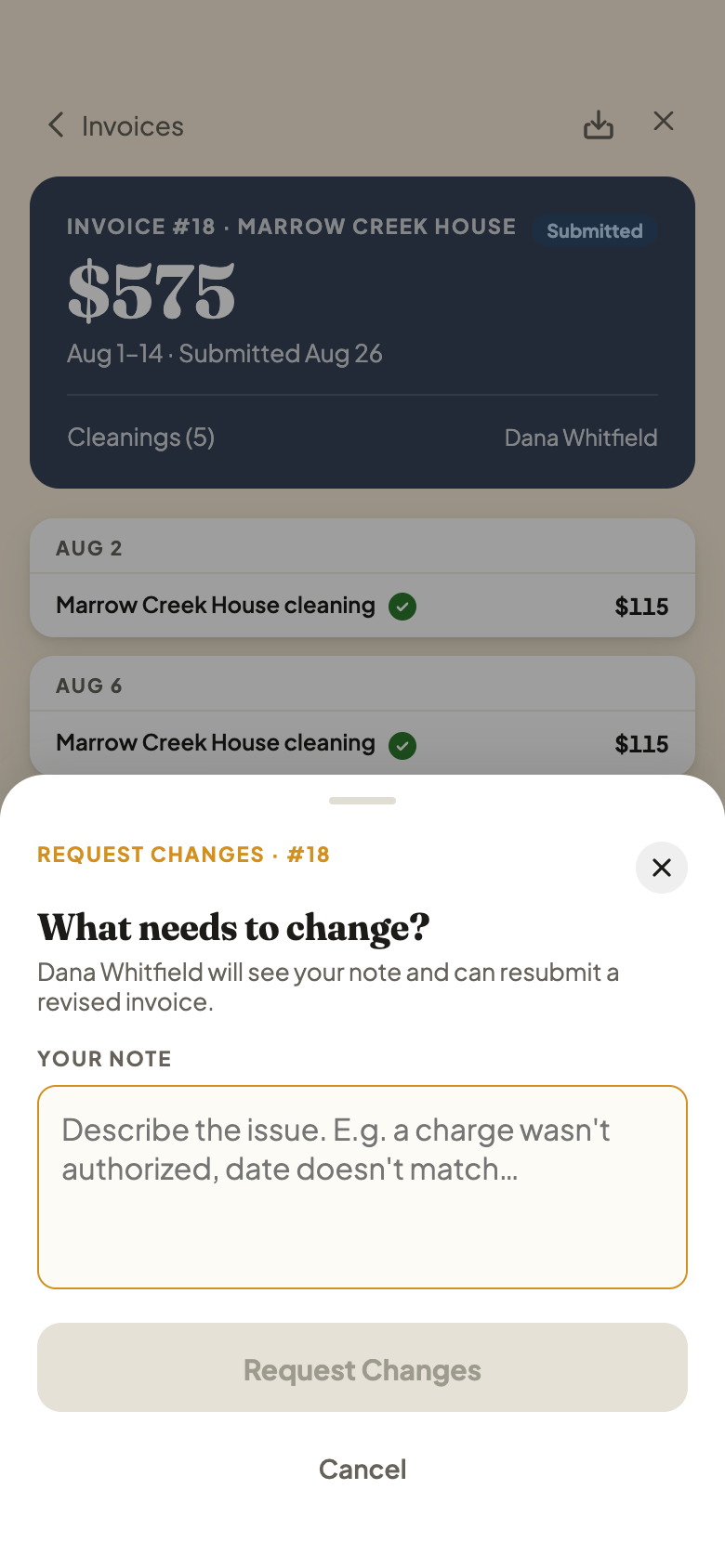
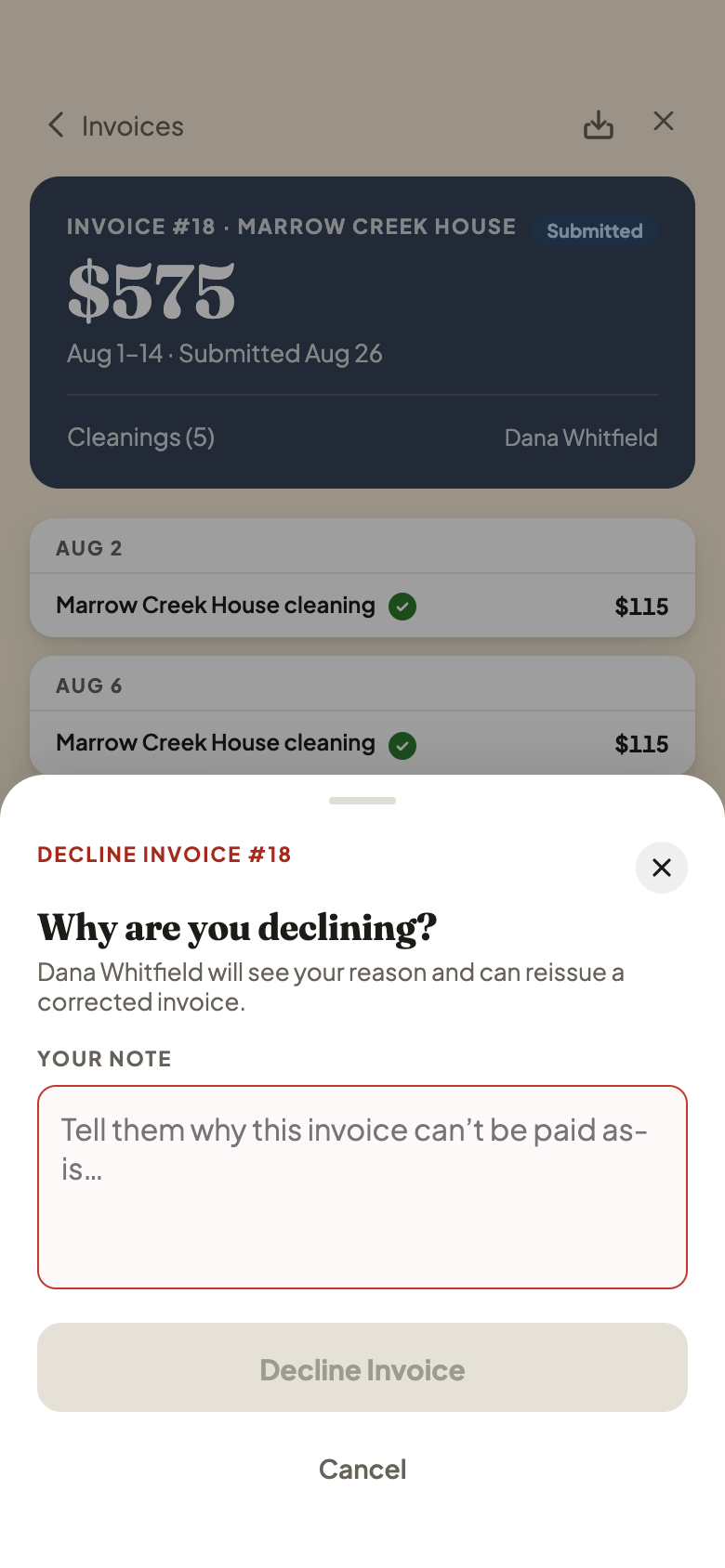
Request Changes is for something fixable, like a wrong date. Decline is firmer: you won't pay this invoice as it stands.
Your cleaner sees the invoice marked Changes Requested (amber) or Declined (red), with your note right there. It stays read-only until they submit a corrected one.